Simucube 2 vs Simucube 3 : différences, Compatibilité et faut-il passer à la nouvelle version ?
Le Simucube 2 a établi la marque comme une référence en matière de direct drive et de force feedback haut de gamme. Le Simucube 3 conserve la même gamme Sport, Pro et Ultimate, mais va bien au-delà de ce que suggèrent les noms des modèles. Cette nouvelle génération intègre la plateforme Simucube Link, un nouveau système de quick release, un montage par l'avant et par le dessous, des effets basés sur la télémétrie, un nouveau boîtier de commande et un traitement force feedback remanié.
Le point important est que le Simucube 3 n'est pas simplement une mise à niveau du couple. Le Simucube 3 Pro reste à 25 Nm, tandis que le Sport passe de 17 Nm à 15 Nm et que l'Ultimate passe de 32 Nm à 35 Nm. Pour les propriétaires actuels d'un Simucube 2, la décision devrait donc reposer sur l'écosystème, le montage, le logiciel et l'amélioration du retour de force, plutôt que sur le seul couple maximal.
Ce guide présente les différences vérifiées entre le Simucube 2 et le Simucube 3, les éléments qui restent compatibles et les situations où une mise à niveau est pertinente.
Table des matières
- Réponse rapide
- Caractéristiques techniques du Simucube 2 et du Simucube 3
- Différences de Couple selon le modèle
- Effets de Force feedback et de télémétrie
- Compatibilité du Quick release et des volants
- Différences de montage
- Simucube Link et Tuner
- Les propriétaires d'un Simucube 2 devraient-ils le mettre à niveau ?
- Quel modèle Simucube 3 choisir pour un nouvel achat ?
- Questions fréquentes
Réponse rapide : Simucube 2 ou Simucube 3 ?
Pour une nouvelle configuration premium direct drive, le Simucube 3 est le choix le plus tourné vers l'avenir. Il intègre l'écosystème Link, le Quick Release Link, un montage par l'avant et par le dessous, des effets basés sur la télémétrie et des réglages directs en course grâce au nouveau boîtier de commande.
Pour les propriétaires actuels d'un Simucube 2, une mise à niveau immédiate n'est pas forcément nécessaire. Simucube confirme que le Simucube 2 reste entièrement pris en charge. Les principales raisons de passer au Simucube 3 sont le nouvel écosystème, un montage plus facile, les nouvelles fonctionnalités de retour de force et les volants compatibles Link, plutôt qu'une augmentation importante du couple.
Les propriétaires actuels d'un Simucube 2 Pro devraient y prêter une attention particulière. Le Simucube 2 Pro et le Simucube 3 Pro sont tous deux conçus pour 25 Nm. Si votre seul objectif est d'obtenir un force feedback plus puissant, passer du Pro au Pro n'augmente pas le couple maximal annoncé.
Caractéristiques techniques : Simucube 2 vs Simucube 3
| Caractéristique | Simucube 2 | Simucube 3 |
|---|---|---|
| Modèles | Sport, Pro, Ultimate | Sport, Pro, Ultimate |
| Couple maximal | 17 Nm, 25 Nm, 32 Nm | 15 Nm, 25 Nm, 35 Nm |
| Montage | Fixation frontale | Fixation frontale et fixation inférieure |
| Quick release | Quick Release Simucube d’origine | Simucube Link Quick Release |
| Effets de télémétrie | Non disponibles en tant qu’effets natifs du wheelbase | Effets basés sur la télémétrie : route, ABS, régime moteur et autres |
| Architecture de connexion | Système autonome basé sur USB | Écosystème Simucube Link Hub |
| Réglages en course | Contrôle du Couple | Couple, amortissement et sensations via le boîtier de commande |
| Volants Link | Non pris en charge nativement | Pris en charge nativement |
| Volants USB | Pris en charge sur PC | Pris en charge sur PC |
L’évolution entre les générations concerne donc principalement la façon dont le wheelbase se connecte, se monte et s’intègre au reste du simulateur. Le Couple reste similaire entre les modèles équivalents.
Différences de Couple : Sport, Pro et Ultimate
Les noms des modèles restent familiers, mais les valeurs de couple ne sont pas identiques.
- Simucube 2 Sport : 17 Nm
- Simucube 3 Sport : 15 Nm
- Simucube 2 Pro : 25 Nm
- Simucube 3 Pro : 25 Nm
- Simucube 2 Ultimate : 32 Nm
- Simucube 3 Ultimate : 35 Nm
Il est donc important de comparer directement les modèles entre eux. Un propriétaire de Simucube 2 Sport ne gagne pas en couple maximal en passant au Simucube 3 Sport. Un propriétaire de Simucube 2 Pro reste dans la même catégorie de 25 Nm. Le Simucube 3 Ultimate est le seul modèle équivalent qui augmente nettement le couple maximal.
L’Ultimate utilise également un moteur Spoke IPM différent, tandis que le Sport et le Pro restent plus proches de l’architecture moteur établie. Le couple maximal ne doit donc pas être le seul critère utilisé pour mesurer l’évolution entre les générations.
Force Feedback et effets de télémétrie
Simucube 3 introduit des algorithmes de contrôle révisés et un étalonnage individuel destinés à améliorer la fluidité, la précision et la régularité. Des tests indépendants de Boosted Media font également état d’un rendu du force feedback très raffiné et d’une plateforme mécaniquement robuste.
Une autre différence majeure réside dans les effets basés sur la télémétrie. Le Simucube 3 peut ajouter des effets à partir de données telles que l’ABS, le régime moteur et les textures de la route. Ces effets sont distincts du signal normal de force feedback et peuvent être réglés dans le nouvel environnement logiciel Simucube.
Cela ne rend pas le Simucube 2 obsolète. Le Simucube 2 reste une plateforme direct drive haute performance qui continue de bénéficier d’une assistance. L’avantage du Simucube 3 réside dans son niveau supplémentaire d’intégration et de réglage, et non dans l’abandon de tout ce qui faisait la force du Simucube 2.
Quick Release et Compatibilité des volants
Le Simucube 2 utilise le Quick Release d’origine de Simucube et prend en charge les volants USB ainsi que les volants Simucube Wireless. Le Simucube 3 introduit le Quick Release Simucube Link, qui assure le transfert sans contact de l’alimentation et des données par LightBridge.
Avec les volants compatibles Link, cela signifie que le volant peut recevoir des données et de l’alimentation par le biais du quick release, sans câble USB classique entre le volant et le PC.
Les volants USB restent utilisables avec le Simucube 3 en les connectant directement au PC. Les propriétaires d’un volant existant n’ont donc pas nécessairement besoin de remplacer tous leurs volants lorsqu’ils changent de génération de wheelbase.
Simucube propose également un adaptateur Link Quick Release pour le Simucube 2. Il permet d’utiliser l’interface mécanique Link quick release sur une base Simucube 2, mais n’ajoute pas les fonctionnalités sans fil d’alimentation et de transmission des données d’une configuration Simucube 3 native.
Montage : l’une des différences les plus pratiques
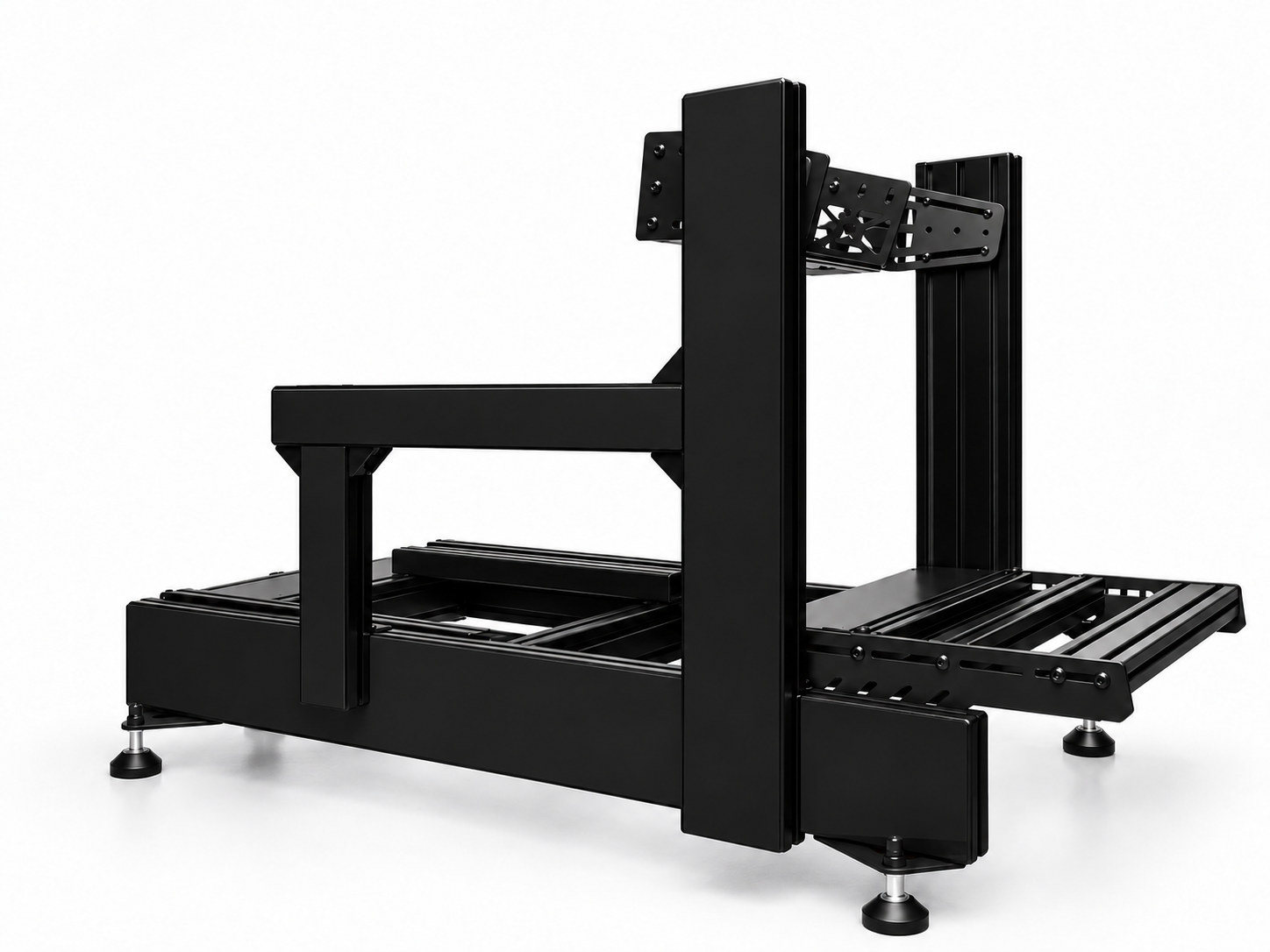
Le Simucube 2 est conçu pour un montage frontal. Le Simucube 3 permet aussi un montage par le dessous grâce à ses rainures en T intégrées, tout en conservant le montage frontal.
Le Simucube 3 s’intègre ainsi plus facilement à une plus grande variété de cockpits et de plateaux de montage pour base de volant en profilé aluminium. Il peut également simplifier une mise à niveau lorsque le cockpit est déjà équipé d’un solide plateau de montage pour base de volant plat classique.
Un détail important concernant la compatibilité mérite l’attention des utilisateurs actuels de fixation frontale. Des mesures indépendantes rapportées par Boosted Media ont révélé que le schéma de montage frontal du Simucube 3 diffère de celui du Simucube 2, avec un entraxe inférieur d’environ 10 mm. Ne partez pas du principe qu’une fixation frontale fixe existante pour Simucube 2 conviendra sans ajustement. Vérifiez les dimensions exactes de montage avant de changer de wheelbases.
Pour plus de conseils d’installation, consultez le guide de montage des wheelbase Simucube.
Simucube Link et Tuner
Simucube 3 repose sur la plateforme Link. Le Link Hub centralise le matériel Simucube compatible et fait partie de la nouvelle architecture de connexion. Cela réduit le nombre de connexions directes entre les appareils et le PC, et crée une plateforme commune pour la wheelbase, les pédales et les futurs accessoires.
Le nouveau Control Box change également l’utilisation au quotidien. Les propriétaires d’une Simucube 3 peuvent régler le couple, l’amortissement et les sensations pendant une session, sans ouvrir l’interface de bureau habituelle pour chaque modification.
Simucube Tuner continue d’évoluer en tant qu’environnement logiciel commun. Simucube 2 reste pris en charge, tandis que Simucube 3 bénéficie des fonctionnalités supplémentaires propres à Link et des effets de télémétrie.
Un propriétaire de Simucube 2 devrait-il passer à Simucube 3 ?
Conservez Simucube 2 si :
- Vous êtes satisfait de son force feedback et de son niveau de couple.
- Vos volants actuels et votre configuration de quick release fonctionnent bien.
- Vous n’avez pas besoin d’une fixation par-dessous.
- You prefer to spend the upgrade budget on pedals, displays, seating or another part of the simulator.
Envisagez Simucube 3 si :
- Vous souhaitez profiter de l’écosystème Simucube Link et des volants Link natifs.
- Vous souhaitez pouvoir la fixer à l’avant ou par-dessous.
- Vous souhaitez des effets de wheelbase basés sur la télémétrie native.
- Vous appréciez le nouveau Control Box et les réglages en course.
- Vous remplacez de toute façon la wheelbase et souhaitez passer à la génération actuelle de Simucube.
Pour le propriétaire d’une Simucube 2 Pro, passer à une Simucube 3 Pro doit être considéré comme une amélioration des fonctionnalités et de l’écosystème, et non comme une amélioration du couple. Pour un propriétaire d’une Ultimate, la Simucube 3 Ultimate apporte à la fois la nouvelle plateforme et un plafond de couple supérieur de 35 Nm, grâce à sa nouvelle conception de moteur.
Quel modèle Simucube 3 un nouvel acheteur devrait-il choisir ?
Le moteur Force Feedback Simucube 3 est disponible chez SimXPro en configurations Sport, Pro et Ultimate.
Choisissez Sport si 15 Nm suffisent pour la configuration visée et que vous souhaitez accéder au nouvel écosystème Simucube 3 au prix d’entrée le plus bas.
Choisissez Pro si vous souhaitez une marge de 25 Nm et le meilleur équilibre entre couple et prix de la gamme.
Choisissez Ultimate si vous privilégiez une marge maximale, le moteur Spoke IPM de 35 Nm et le matériel haut de gamme Simucube 3.
Quelle que soit la version choisie, veillez à ce que le cockpit et le support pour base de volant soient adaptés à la catégorie de couple. Le matériel haut de gamme à direct drive donne les meilleurs résultats lorsque la wheelbase, les pédales et le siège restent fixes les uns par rapport aux autres.
Conclusion
Simucube 3 est une mise à jour importante de la plateforme, mais pas parce que chaque modèle produit davantage de couple. Ses principaux changements sont l'écosystème Link, le nouveau quick release, les effets basés sur la télémétrie, le montage frontal et par le dessous, le système de contrôle révisé et les nouveaux réglages en course.
Pour les nouveaux acheteurs, Simucube 3 est la génération actuelle à privilégier. Pour les propriétaires actuels d'un Simucube 2, la mise à niveau dépend de la capacité de ces nouvelles fonctionnalités à résoudre une véritable limitation. Un Simucube 2 bien configuré reste une wheelbase très performante et continue de bénéficier d'une assistance.
Foire aux questions
Simucube 3 est-il plus puissant que Simucube 2 ?
Pas pour tous les modèles. Le Simucube 3 Sport développe 15 Nm, contre 17 Nm pour le Simucube 2 Sport. Les deux modèles Pro développent 25 Nm. Le Simucube 3 Ultimate passe de 32 Nm à 35 Nm.
Simucube 3 permet-il un montage par le dessous ?
Oui. Simucube 3 permet un montage frontal et par le dessous. Simucube 2 se monte par l'avant.
Puis-je utiliser des volants USB avec Simucube 3 ?
Oui. Les volants USB peuvent toujours se connecter directement au PC. Les volants Link natifs utilisent le Quick Release Simucube Link pour l'alimentation et les données.
Simucube 2 bénéficie-t-il toujours d'une assistance ?
Oui. Simucube indique que Simucube 2 continue de bénéficier des mises à jour logicielles, du service RMA et de l'assistance clientèle.
La mise à niveau de Simucube 2 Pro vers Simucube 3 Pro en vaut-elle la peine ?
C'est possible si vous souhaitez bénéficier de la compatibilité Link, du montage par le dessous, des effets de télémétrie et du nouveau système de contrôle. Il ne s'agit pas d'une mise à niveau du couple, car les deux modèles Pro sont conçus pour 25 Nm.
Un fixation frontale de Simucube 2 est-il compatible avec Simucube 3 ?
Ne partez pas du principe que ce sera le cas. Des mesures indépendantes révèlent un espacement différent pour le montage frontal sur Simucube 3. Vérifiez les dimensions de votre support avant de changer de wheelbases.
Découvrez la génération actuelle de Simucube
Découvrez le moteur Simucube 3 Force Feedback chez SimXPro et comparez les configurations Sport, Pro et Ultimate. Pour des conseils de montage, consultez le guide de montage de la wheelbase Simucube.